
How to How to use Rankmath SEO: A Step-by-Step Guide
🚀 Master Your Rankings: How to use Rankmath SEO
Struggling to get your valuable content discovered by the right audience? In the competitive digital landscape, mastering on-page SEO is non-negotiable, and the right tool can make all the difference. If you’re looking for a simple, yet powerful solution, you need to know How to use Rankmath SEO.
This award-winning WordPress plugin streamlines the optimization process, transforming a complicated task into a series of simple, actionable steps. Dive into our comprehensive guide, “How to Master On-Page SEO with RankMath: A Step-by-Step Guide,” where we will walk you through the essential techniques to analyze your content, select the perfect focus keywords, customize your search snippets, and optimize your images for maximum search visibility. Stop guessing and start ranking!
How to Master On-Page SEO with RankMath: A Step-by-Step Guide
Optimizing your content for search engines is a critical step in ensuring it gets seen. RankMath is a powerful WordPress plugin that makes this process incredibly simple and effective. This guide will walk you through the process of optimizing a blog post using RankMath, step-by-step.
Optimizing your content for search engines is a critical step in ensuring it gets seen. RankMath is a powerful WordPress plugin that makes this process incredibly simple and effective. This guide will walk you through the process of optimizing a blog post using RankMath, step-by-step.
Step 1: Analyze Your Initial SEO Score
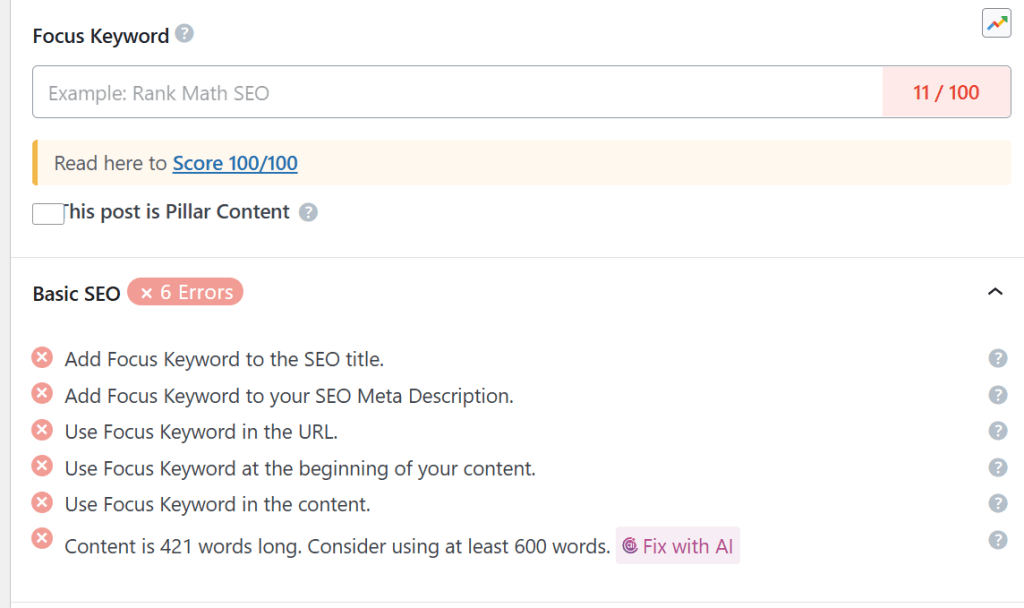
When you first create a post and have RankMath installed, you’ll see an SEO meta box in your editor. This box provides you with an initial score based on a series of basic checks. This is your baseline. As you can see in the image below, our post has an initial score of 11/100, and several checks are marked with a red cross, indicating areas where we can improve.
Step 2: Add Your Focus Keyword
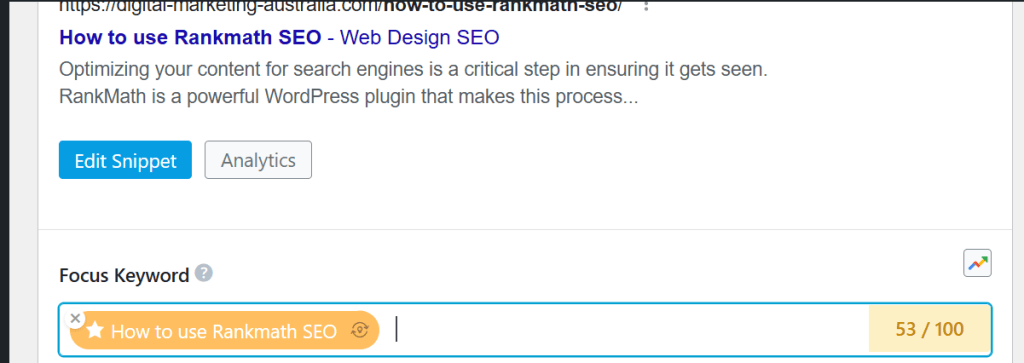
The next crucial step is to tell RankMath what your post is about by adding a “Focus Keyword”. This is the main search term you want your post to rank for. Once you’ve added your keyword, RankMath will re-evaluate your content and update your SEO score. In the image below, we’ve added “rankmath seo” as our focus keyword. Notice how our score has jumped to 82/100 and more of the basic SEO checks are now green.
Step 3: Customize Your Search Snippet
Your search snippet is what users see on Google’s search results page. It includes your post’s title, URL, and a short description. You can edit this directly in RankMath by clicking the “Edit Snippet” button. A modal window will appear, allowing you to customize your SEO title, permalink, and meta description. Make sure to include your focus keyword in both the title and description to improve your click-through rate.here is what i put- you will see it turn green when you have the optimum number of words
Step 4: image alt tags
Click on your image, then the pencil icon

It will open and you will see alternative text tag. Paste the title in there and save
do this with every image on the site including the featured image. next put a link to your blog at bottom of page
We are nearly there. Go to gemini and prompt create an seo preamble to this with focus key phrase ” the title” then add the whole text of the article into the prompt , Paste the output into the top of the article.
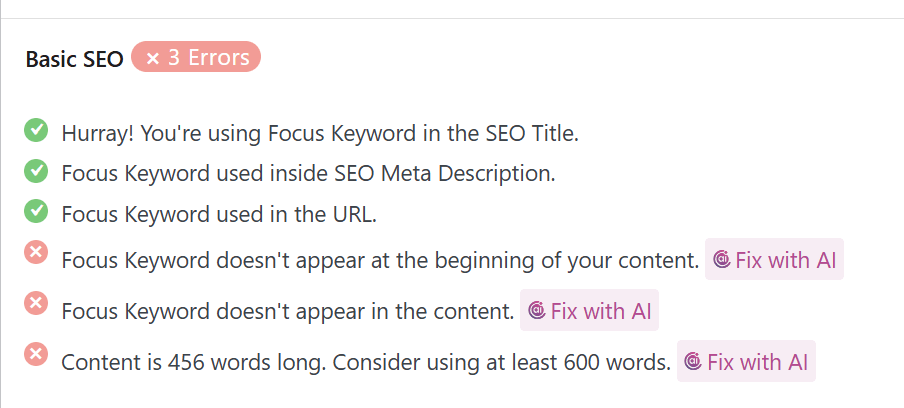
The final corrections are shown here
By following these simple steps, you can significantly improve your on-page SEO using RankMath and give your content the best chance of ranking well in search engines. Remember that SEO is an ongoing process, so keep refining your keywords and content for the best results!